|
-
September 3rd, 2011, 08:35 AM
#1
My Quick Launch Bar has gone right
My quick launch toolbar has moved to the right of my minimised programmes, I guess someone (maybe me!) has dragged something, but I can't get it back. At first it was double height, but I fixed that by dragging it of the taskbar onto the desktop and back.
Now it insists on being to the right of the minimised icons. How can I get it home?
this is what it looks like at the moment

-
September 3rd, 2011, 08:57 AM
#2
Unlock the Taskbar, drag Quick Launch back over next to the Start button, and re-Lock the Taskbar.
-
September 3rd, 2011, 09:29 AM
#3
It won't let me do that. I just get the windows 'not allowed' black circle coming up wherever I hover.
-
September 3rd, 2011, 09:58 AM
#4
Hmmm... works fine here. I can move it pretty much wherever I want it.
What happens if you change from Classic Taskbar to the normal XP style?
-
September 3rd, 2011, 10:42 AM
#5
Try unchecking it in Taskbar>Properties, then reboot the PC and recheck it again. See if that puts it back.
Nick.
-
September 3rd, 2011, 11:24 AM
#6
@spywaredr, changing from classic view didn't change anything. worth a go though.
@supersparks. I turned off the bar, rebooted, turned it back on and it went to here

its almost like the bar has gone too big and has to wrap itself round to a second line. When I drag it onto the desktop its big, like this;
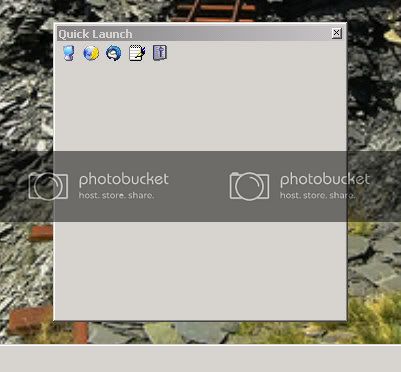
is that normal? I can resize it and drop it back onto the taskbar, then it takes up station back on the right again.
-
September 3rd, 2011, 11:29 AM
#7
That is normal for a double-height Taskbar, as you have there.
Nick.
-
September 3rd, 2011, 11:35 AM
#8
Unlock the Taskbar.
Grab the vertical bar on the left end of the Quick Launch section, drag it down and to the left, and then back up just to the right of the Start button, (between Start and the vertical bar for the minimized button).
Lock the Taskbar.
--
If you still can't get it to work, try using Windows' "System Restore" to roll Windows back to a previous state when your Taskbar was like you like it:
-
September 3rd, 2011, 12:30 PM
#9
Still won't move so I held my breath and used system restore. I try to never use that since the Great System Restore Disaster of 2008, which I'm still traumatised by.
Its back to normal. Thanks people.
-
September 3rd, 2011, 01:13 PM
#10
Sorry to hear it had you so worried. I use it often on many versions of Windows. Hate to think what I'd have to go through without it. 
Anyway, good to hear it worked for you as well. Thanks for letting us know. 
Thread Information
Users Browsing this Thread
There are currently 1 users browsing this thread. (0 members and 1 guests)
 Posting Permissions
- You may not post new threads
- You may not post replies
- You may not post attachments
- You may not edit your posts
-
Forum Rules
|
|


 Reply With Quote


