|
-
October 11th, 2009, 05:53 PM
#1
My 2009 Computer Build
I thought it might be useful to create a thread with plenty of piccys of my latest build. Hopefully it will be instructional for the uninitiated in building a desktop PC, and the experts can have a good giggle at my expense 
Please ask any questions or post any observations or comments, we haven't had a "Delta" type thread in far too long!
First up, the component list:
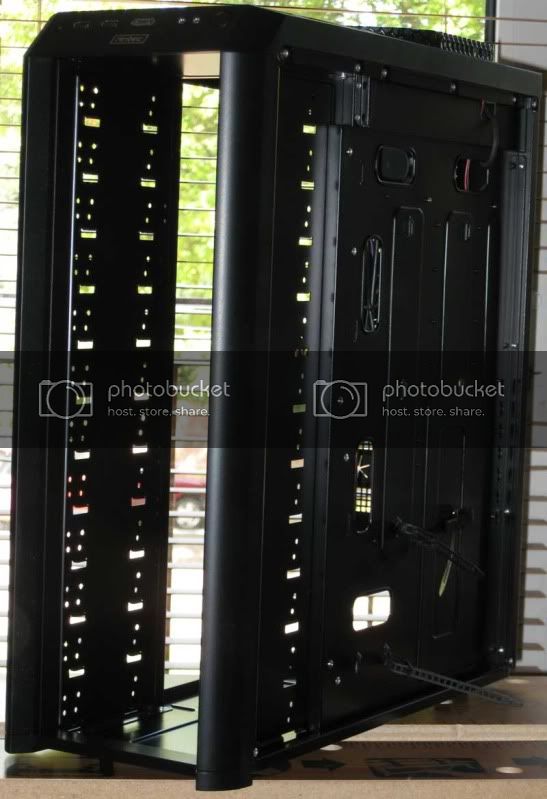
- Antec Twelve Hundred case (without PSU)
- OCZ GameXtreme700 Watt PSU (I already had this sitting unused in its box for a couple of years, bought in anticipation of a server build that never happened). I'm a little concerned that it's a touch underpowered.
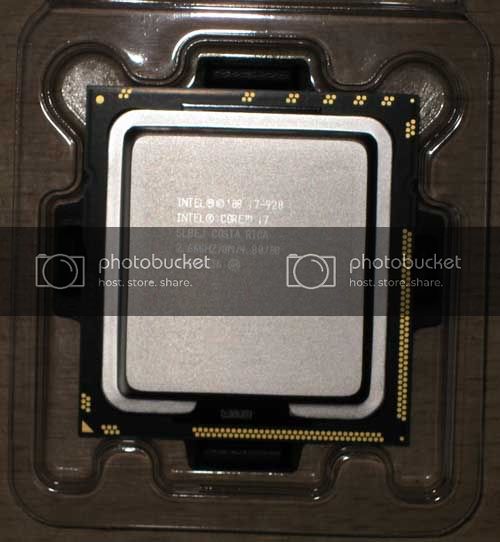
- Intel Core i7-920 (I was going to get the i7-950, but I read so many reviews about the 920 being a great overclocker I decided to go that route, saving a nice £210.
- Gigabyte GA-EX58-UD4P motherboard
- Corsair XMS3 12 GB matched set of 6 x 2GB sticks of DDR 3 PC1333 RAM
- Scythe Shikuren CPU cooler
- XFX GeForce GTX275, 896MB graphics card
- Creative X-Fi Titanium Fatal1ty sound card (I love the X-Fi, but I agonised over whether to spend the money on this, now that onboard sound is so good)
- Hauppauge twin tuner DVT tuner card
- 3 x 1TB Samsung SpinPoint hard drives + 1 x 1.5TB Samsung Ecogreen drive (this will be for Media Centre / Videos only).
- Samsung Lightscribe DVD burners
- Assorted IcyBox drive caddies
I've benchtested the PSU and assembled the CPU, cooler and RAM today. Pics will be posted tomorrow.
Nick.
-
October 11th, 2009, 06:03 PM
#2
SuperSparks--What are the intended uses for this PC?
Jim
WIN7 Ultimate SP1 64bit, IE 11, NTFS,
cable, MS Security Essentials, Windows 7 firewall
-
October 11th, 2009, 07:10 PM
#3
Jim, it's really just intended as a general-purpose workstation. I do a lot of virtualisation, which is why I went for so much RAM. Apart from that, I do all sorts really, Photoshop stuff, a bit of video editing, a bit of programming, etc. I'll use it as a media centre. I may even try a few games on it (I've been saying that on every build I've done so far ).
Nick.
-
October 12th, 2009, 10:12 AM
#4
Benchtesting the PSU. It's not essential if you don't have a meter or PSU tester, but it's nice to know that it isn't dead before installing 

Nick.
-
October 12th, 2009, 10:14 AM
#5
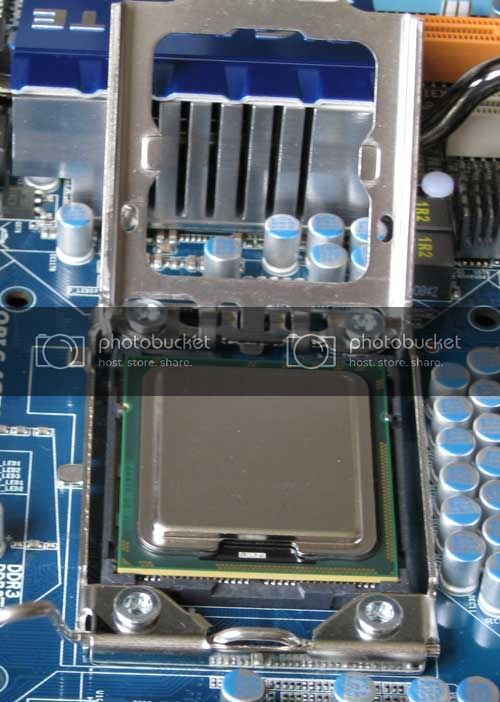
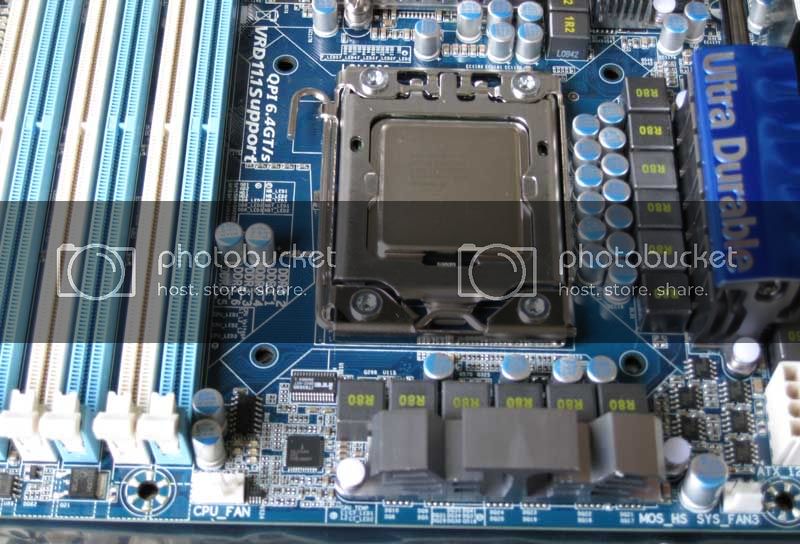
Getting ready to assemble the motherboard, CPU and Ram:

Nick.
-
October 12th, 2009, 10:16 AM
#6
-
October 12th, 2009, 10:17 AM
#7
Assembling the CPU cooler:

Nick.
-
October 12th, 2009, 10:24 AM
#8
The CPU cooler installed:

Note that it is sometimes necessary to install RAM first, as some coolers interfere with some of the slots.
Nick.
-
October 12th, 2009, 10:25 AM
#9
What 12 GB or RAM looks like before:

And after installation:
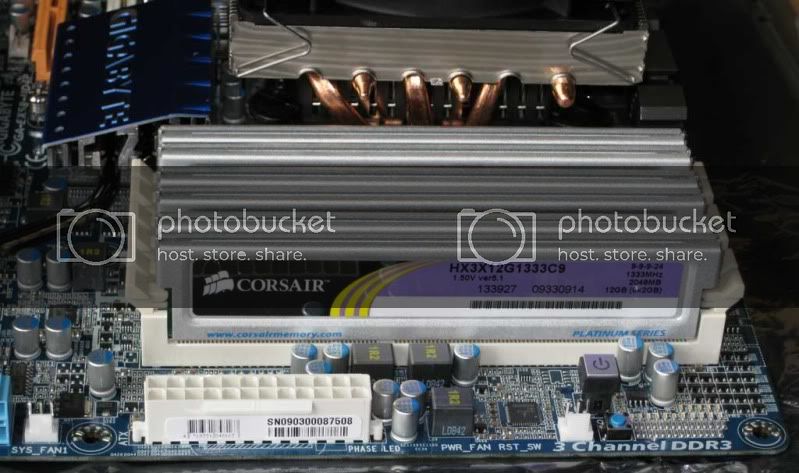
Nick.
-
October 12th, 2009, 10:27 AM
#10
The completed motherboard assembly:

Nick.
-
October 12th, 2009, 05:52 PM
#11
You sure are right about RAM sometimes needing to be put in before the Heatsink. I have a CoolerMaster Gemin II w/2 x 120mm Thermaltake Thunderblade Fans (w/green LED) on my #2 Desktop Computer that not only cool the CPU but also cool the RAM. This Heatsink is huge and covers all 4 RAM Slots. This is the biggest Heatsink that I've ever seen! I have this heatsink in a SuperFlower Mid-Tower Case and it's a really tight fit.
No, the 120mm fans aren't attached to the window. Can you see the RAM, didn't think so! There are 4 x 1gb sticks of G.Skill DDR2 800 PC2 6400. The Heat Spreaders are either Blue, Red or Black on the RAM, I can't remember which! The reason I can't remember is that my last 4 desktop builds have been with G.Skill RAM. I recently upgraded the RAM in our 4 laptops with G.Skill RAM too! Here's the pic:

I didn't take pictures like SuperSparks while building any of my computers but here are the specs for my last build March-April 2009:
COOLER MASTER COSMOS 1000 RC-1000-KSN1-GP Black/ Silver Steel ATX Full Tower Computer Case w/4 x 120mm Case Fans - 1 Bottom Intake Fan**2 Top Exhaust**1 Rear Exhaust - 2 Intake Filters on the bottom of the case
Enermax Revolution 1050w Power Supply Unit 6/+12V @30a Modular Cabling
AMD Phenom II X4 940 Black Edition @ 3.0 Ghz Quad-Core Processor
Asus M4A79 Deluxe Motherboard
Zalman 9700NT HeatSink & Fan (Green LED)
4 x 2gb G. Skill DDR2 1066 PC2 8500 5-5-5-15 RAM 8gb Total RAM
2 x 1tb Seagate SATA 7200rpm 32mb Cache Hard Drives 2tb Total Hard Drive Space
2 x Lite-On 22x SATA DVD-RW w/smarterase & lightscribe22x DVD Burner
Rosewill 74 in 1 Card Reader
XFX nVidia GeForce 285GTX 1gb Video Card
26" Westinghouse Widescreen LCD Monitor L2610NW
Logitech MX5500 Keyboard/Mouse Combo - Bluetooth
Logitech z-640 5.1 Surround Sound Speakers
Logitech Quickcam Pro 9000
Windows Vista Ultimate 64-bit
Microsoft Office 2007 Professional
Brother MFC-9440cn Color Laser AIO
Brother MFC-845cw Inkjet AIO
Brother QL-570 Label Printer
Last edited by bugspop1; October 12th, 2009 at 05:56 PM.
Asus Zenbook Q508UG-212.R7TBL 2-in-1 Laptop
AMD Ryzen 7 5700U Processor
8gb DDR4 RAM (Soldered on Motherboard)
1gb Western Digital Blue NVMe SSD
NVIDA MX450 (DDR6)
15.6" 1920 x 1080 (Full HD) Touchscreen
Intel(R) Dual Band Wireless - AC 7260
USB 1 x 2.0 - USB 1 x 3.0 - USB-C 1 x 3.1
Micro SD Card Reader
Lighted Keyboard
Webcam/Microphone
Windows 11 Professional
MS Office 365 Family
Logitech Anywhere MX Mouse
-
October 13th, 2009, 02:58 PM
#12
-
October 13th, 2009, 03:40 PM
#13
Nice rig there, SuperSparks...good choices. When the i7s came out, it was all over the web that the 920 was the way to go...cheaper and could oc up to 965 speed. Why pay more?
Would be interested in seeing Real Temp readings on the cpu temps.
Desktop: Intel i7 960 CPU @ 4.0GHz, EVGA Classified 4-Way SLI mobo, 12GB Corsair Dominator-GT 2000 DDR3 RAM, Crucial RealSSD C300 256GB Solid State Drive, Two WD 2TB SATA drives, 2x EVGA GTX 570 Superclocked graphics cards in SLI, Coolermaster HAF X full tower case, OCZ ZX 1250w PSU, Corsair H100 CPU Cooler
Laptop: MSI GT60-004US, 2x Seagate Momentus XT 750GB SSD Hybrid drives in RAID 0, 16GB DDR3 1600 RAM, GeForce 670M 3GB graphics card, Networks 'Killer' N-1103 WLAN card
-
October 13th, 2009, 04:44 PM
#14
-
October 13th, 2009, 04:46 PM
#15
First thing to do is install the IO backplate:

Nick.
Thread Information
Users Browsing this Thread
There are currently 1 users browsing this thread. (0 members and 1 guests)
 Posting Permissions
- You may not post new threads
- You may not post replies
- You may not post attachments
- You may not edit your posts
-
Forum Rules
|
|


 Reply With Quote